Free on iPhone & iPad

Slow Down Guitar Solos
Without Losing Quality

Learn Any Solo Note for Note — at Your Own Speed

AudioTweak lets you slow down guitar solos, loop the exact bars you need, and adjust pitch to match your tuning — all while preserving audio quality. Perfect for learning by ear, transcribing riffs, and mastering difficult passages.

4.5 on the App Store
559+ ratings
AudioTweak player showing speed and loop controls for guitar practice
The Problem

The problem every guitarist knows

You find a solo you want to learn. You hit play. It's way too fast to catch every note. You rewind. Still too fast.

You try slowing it down on YouTube — now the tempo drops but the tone falls apart. The pitch shifts. Everything sounds muddy. You can't tell if that's a bend, a slide, or vibrato.

So you guess. Or you look up tabs that might be wrong.

There's a better way to learn guitar solos.

Speed Control

Hear every note — even at 30% speed

AudioTweak is built for guitar practice and transcription.

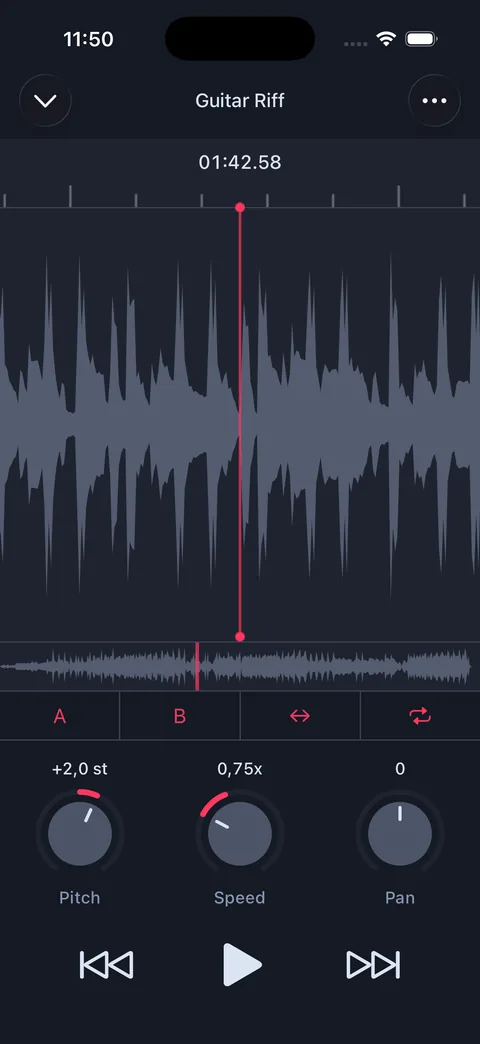
Slow down any song from 25% to 200% speed using high-quality time-stretching. The tempo changes, but the pitch stays locked and the tone stays clean.

You'll hear:

  • Pick attack and timing
  • Subtle bends and vibrato
  • Slides, hammer-ons, and pull-offs

Everything that disappears with low-quality slowdown tools.

AudioTweak speed control set to slow tempo with pitch locked
Practice Loops

Loop and master difficult guitar licks

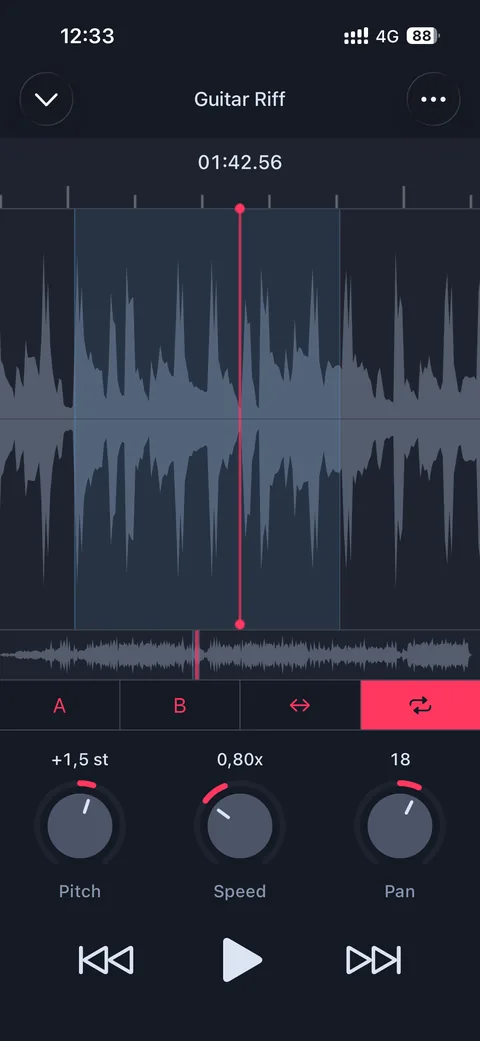
Set A/B points and loop any section of a song automatically.

  • Isolate a fast pentatonic run
  • Repeat a tricky chord transition
  • Drill a 2-bar phrase until it's automatic

No rewinding. No losing your place. Just focused repetition — the way guitarists actually practice.

AudioTweak A/B loop region highlighted on the waveform for guitar practice
Pitch Matching

Match any tuning instantly

Need to play along in a different key?

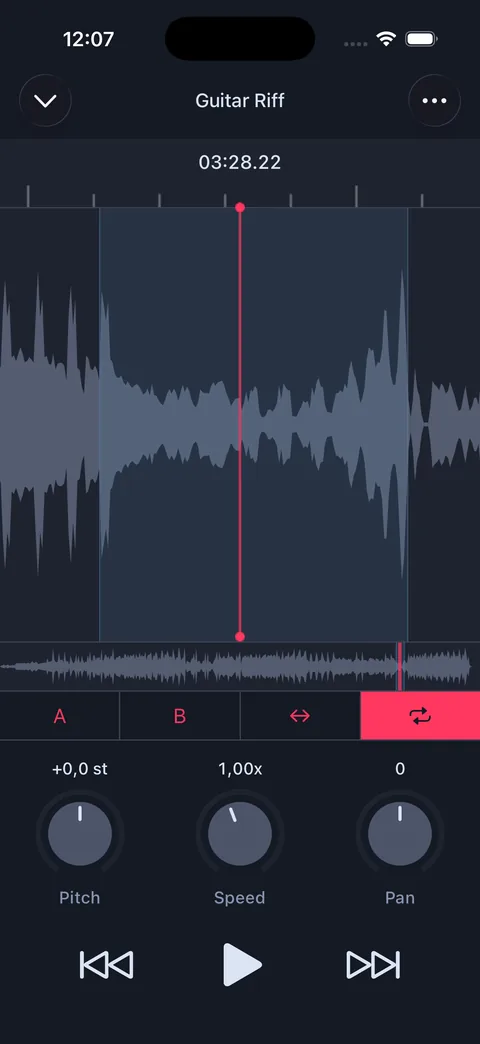
AudioTweak lets you shift pitch up or down by ±24 semitones while the track plays.

  • Drop D or half-step down? Match instantly
  • Practice in a more comfortable key
  • Transpose solos without re-recording audio
AudioTweak speed control with pitch shift adjustment
Step by Step

How to learn a guitar solo with AudioTweak

Import your track

Use any audio file from your iPhone, Files app, or cloud storage.

Slow down the tempo

Drop the speed until you can follow every note. The pitch stays exactly where it is.

Loop the section you're learning

Set A and B points around the phrase. Repeat it continuously while playing along.

Increase speed gradually

Build accuracy first, then bring it up to tempo. The same loop, the same key — just faster.

Real Reviews

Loved by musicians worldwide.

★★★★★

Terrific app for all levels

"This app has been essential to me in learning how to play jazz trumpet. Easy to slow down songs to better hear notes, create your own loops of song parts you want to focus on, and change pitch for songs you want to play but don't yet have the range to play."

App Store review
★★★★★

Exactly what I needed!

"This EXCELLENT software is a valuable tool for learning music. The interface is excellent. Runs flawlessly on my iPad. I can slow down faster music and maintain proper pitch. This allows me to learn music more accurately. Thank you!"

App Store review
★★★★★

Fantastic Tool

"This works great when finishing a project, bouncing it and sending it to yourself. It catalogs your projects and allows for easy playback. Works perfect. Excellent app!"

App Store review
FAQ

Common questions, straight answers.

Start learning guitar solos
the right way.

Stop guessing. Stop rewinding. Slow it down, loop it, and actually hear what's being played.

Start Learning Your Next Solo Free

Free  ·  iPhone & iPad  ·  No account required